Helping groups find a time to play before committing to a session
ROLE
UX Designer (Personal project)
TIMELINE
4 weeks
METHODS
User interviews, user surveys, rapid prototyping, user flows, usability testing, interaction design
The Challenge
As adult gamers grow into careers and responsibilities, playing with friends — once effortless — becomes a logistics problem. Coordinating across time zones, shifting schedules, and different game libraries means most sessions never happen.
The Solution
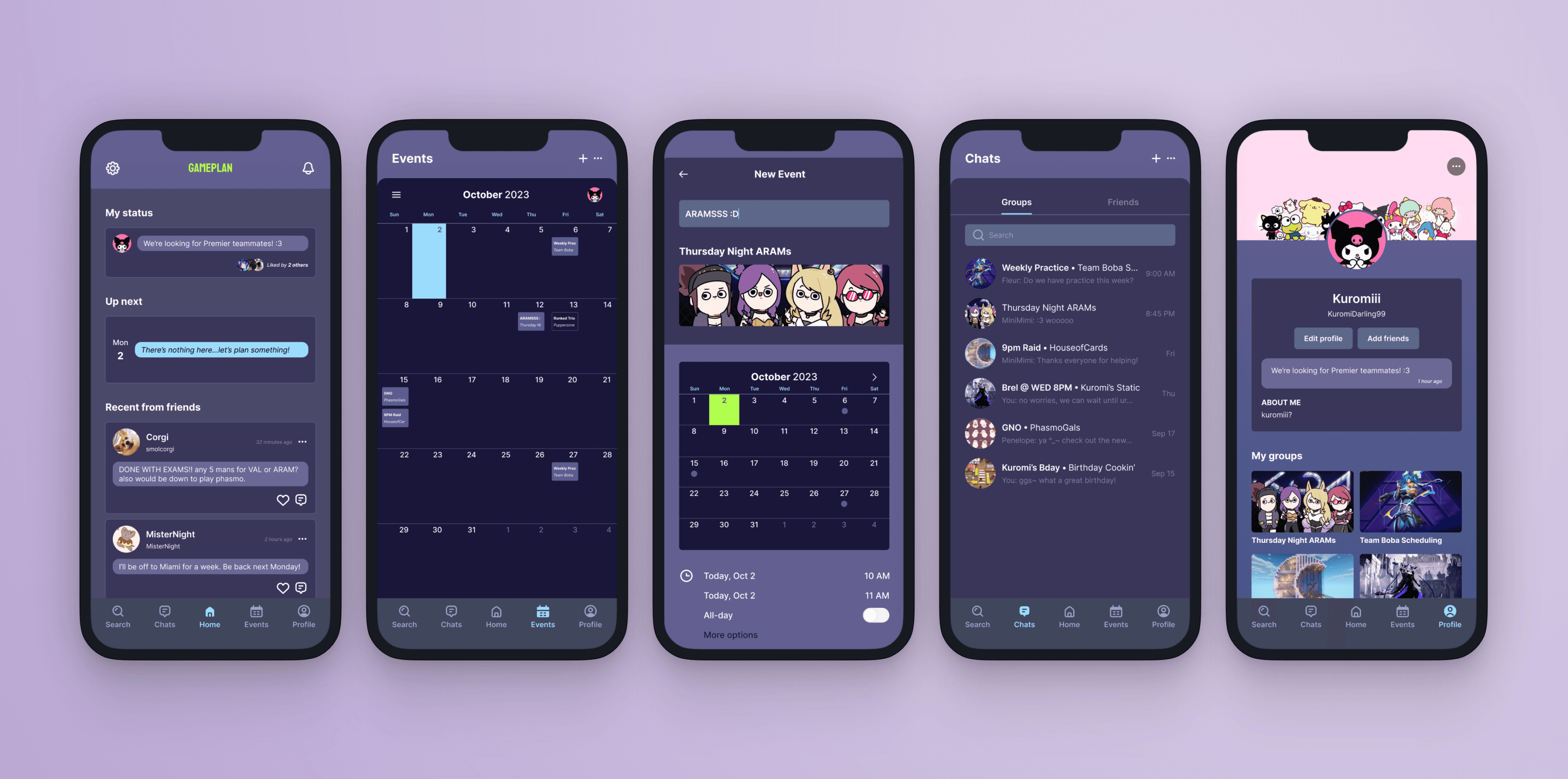
GamePlan is a friendly scheduling tool that helps adult gamers plan multiplayer sessions more easily, making it simpler to maintain friendships and stay connected through gaming.
Playing games together is how many adults stay socially connected
Synthesizing 5+ user interviews showed that sustaining virtual friendships relies heavily on organized coordination, leading to the following four core pillars of user needs:
Turning user needs into UX decisions
I prioritized organizational efficiency by centralizing communication and event planning, thereby reducing the effort required to coordinate with others.
The Solution
Core Pillars
Stay close with friends virtually
Build and sustain a social community
Bring structure to casual play
Establish a consistent routine
Feature Solutions
✅
Add friends to GamePlan
✅
Create groups for friends
✅
Create events to play together
✅
Coordinate in the chatrooms on the next gaming session
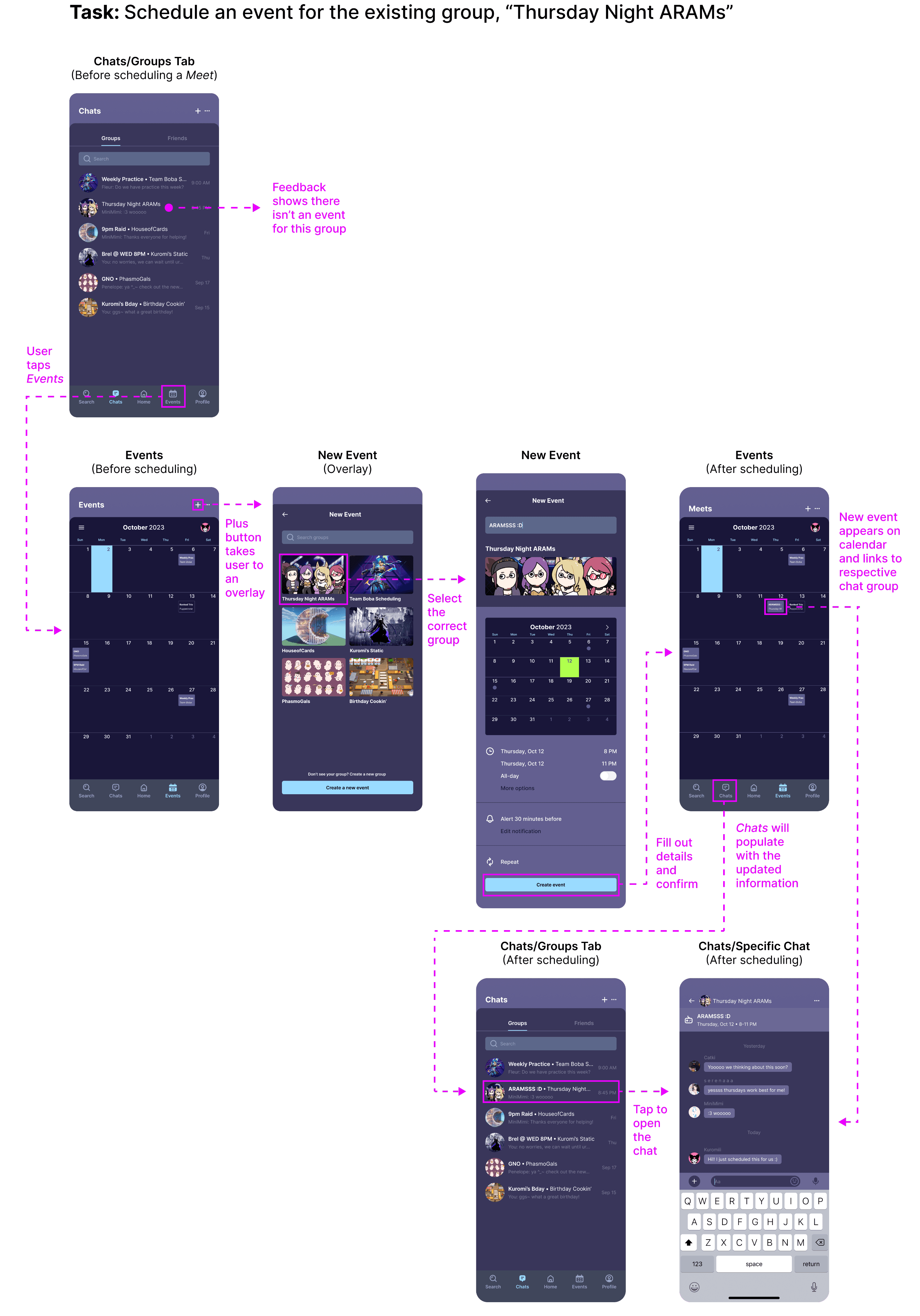
01 Smart Group Recall
When creating a new event, users are shown suggested groups based on past activity. This encourages users to schedule with the same group more regularly, leading to more frequent play.
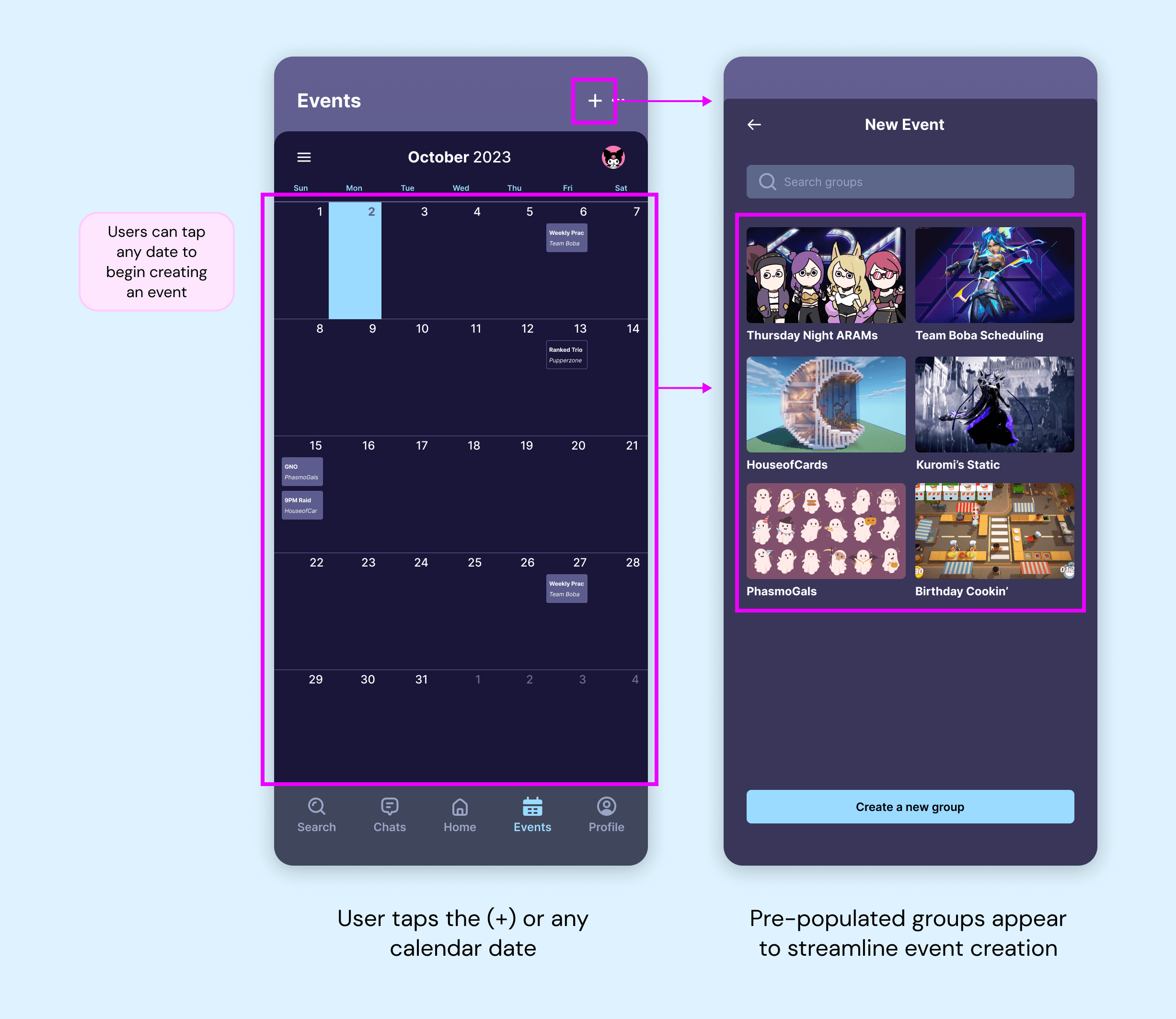
02 Intuitive Event Creation
Event creation is flexible and context-aware. Users can create events directly from within their group chats.
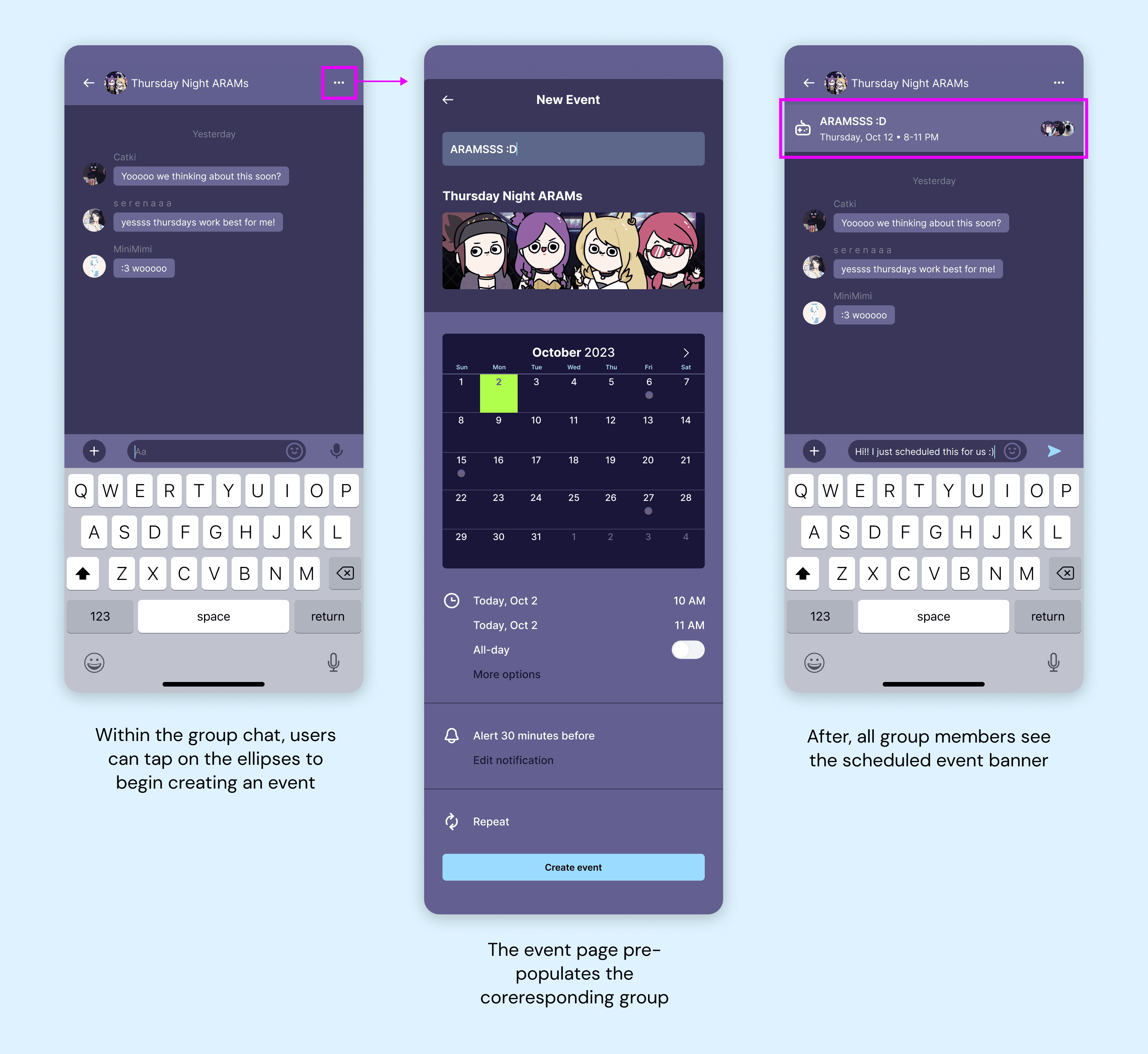
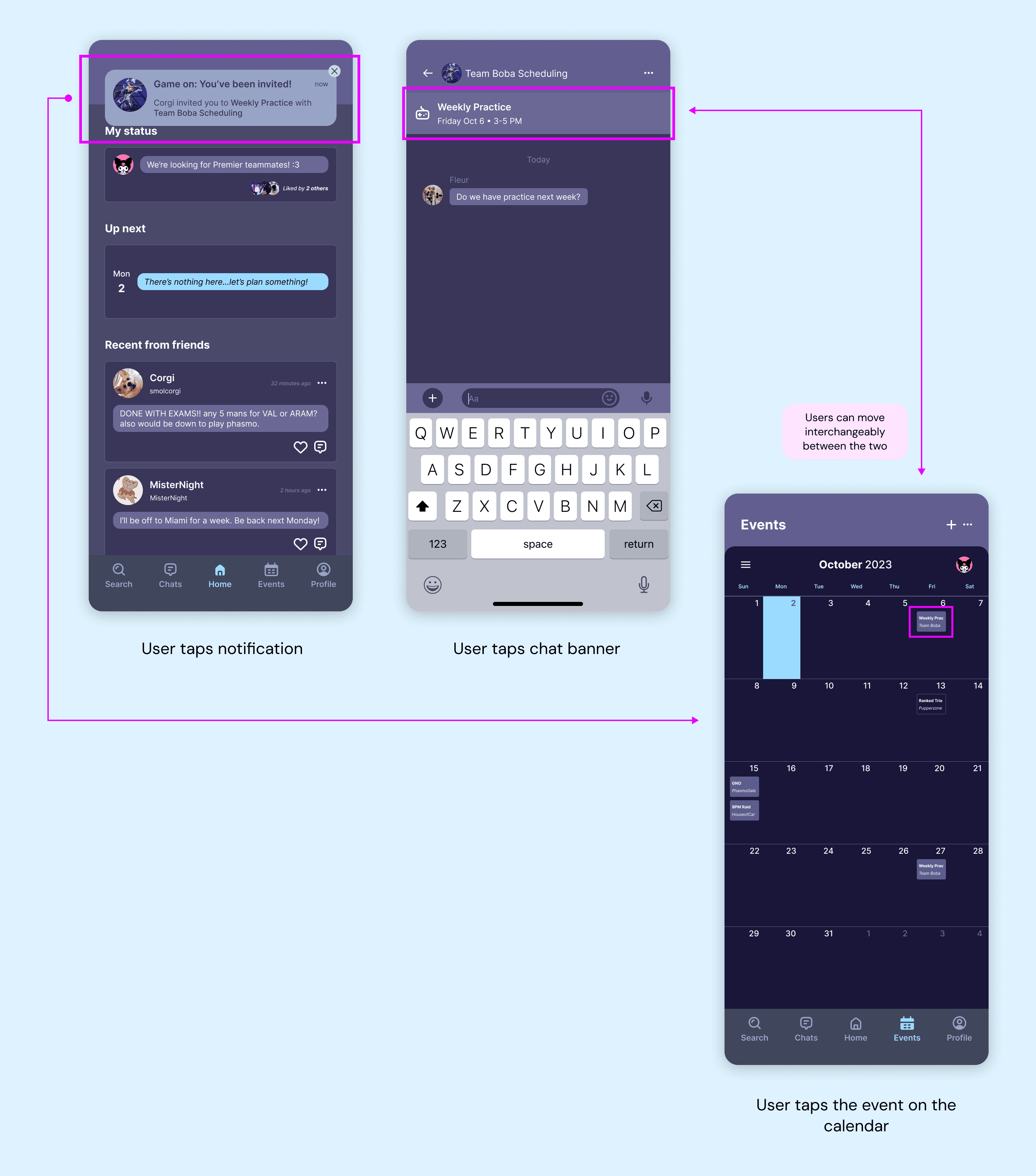
03 Integrated Coordination
Users can seamlessly move between core features (dashboard/notifications, chat, and events calendar). Screens are interconnected, making it easy for users to take action or retrieve information.
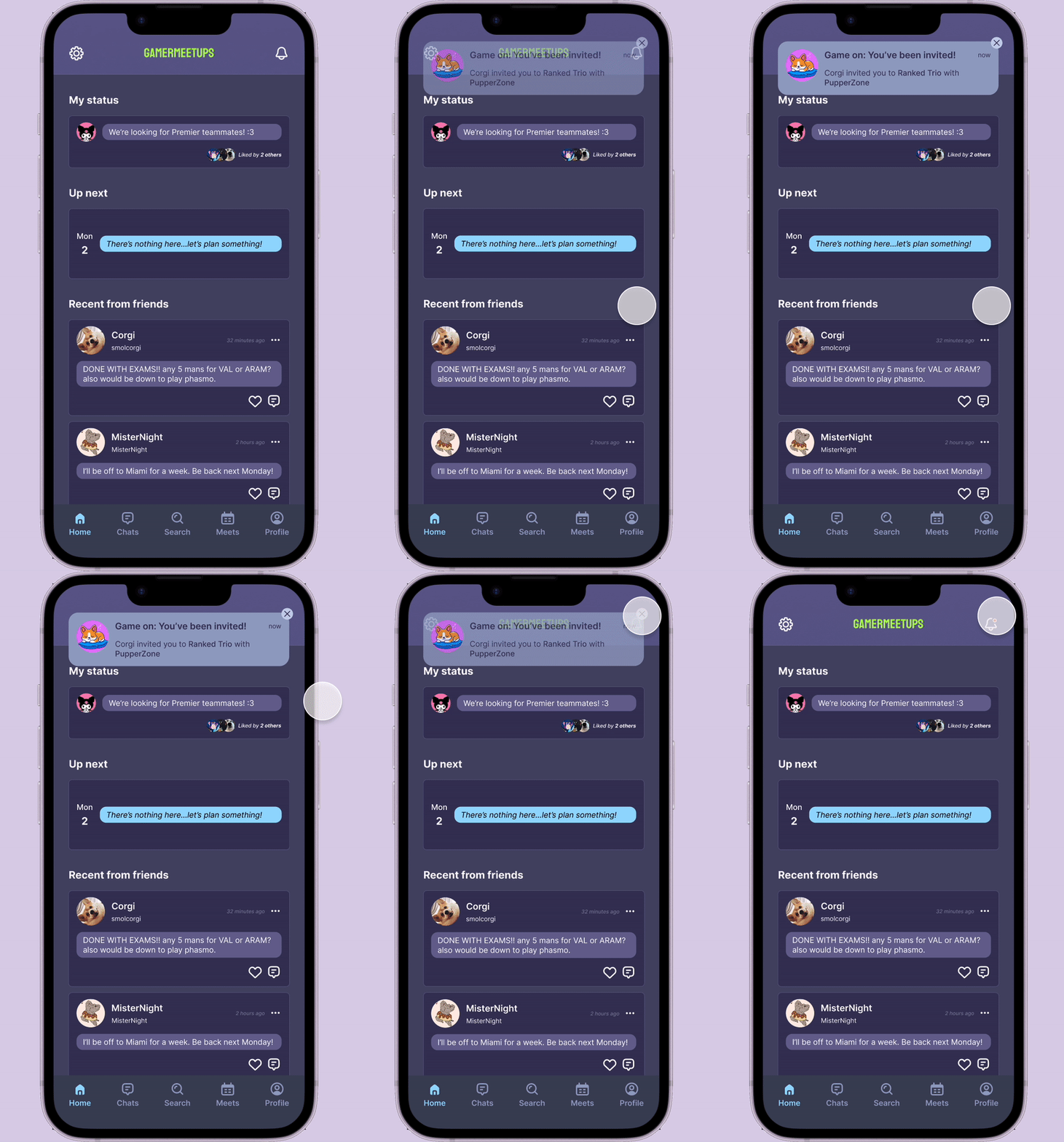
Activity Stream
Centralized feed displays most recent updates
View live gaming activity and receive invites
Never miss out on the latest activity

Create Routine
Coordinate and create events with friends
Using smart group recall, users can create events quickly

Communication Hubs
Discuss scheduling and confirm details in Chats
In-app messaging simplifies communication
Existing event banners prop up in relevant chats

Connect with Friends
Easily find and invite friends or add them to groups
Browse mutual groups you and your friend are in